


A simple guide through the new eVisitor system interface

Frequent changes in the technological world have also affected the tourism sector, which is adapting to users’ needs. The trend toward change has been recognized by the Croatian Ministry of Tourism and Sports, and by updating the user interface of the eVisitor system, a departure has been made from the previous solution.
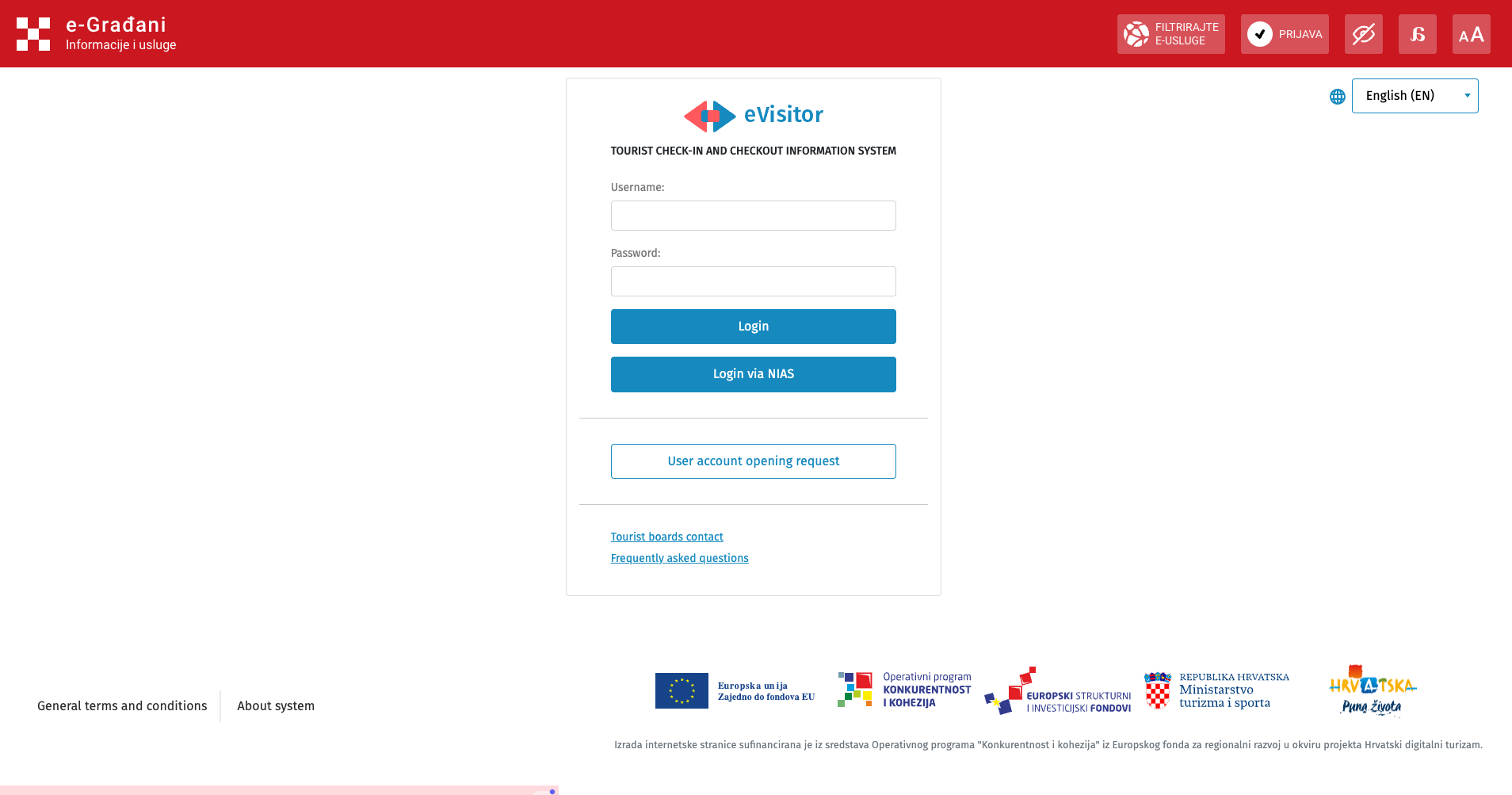
Picture 1. shows the current solution of the eVisitor system user interface.
The simple and modern design of the new solution greatly improves clarity and makes the system easier to use. Before starting work in the system, it is possible to customize the screen display to individual user needs using the functions in the upper right corner of the toolbar. In addition to language selection, the display can be adapted for users with visual impairments and dyslexia, and the font size can be adjusted.
The login procedure has also been simplified. Previously, access to the system was only possible using a username and password accompanied by a code from the TAN list; now, in addition to this method, users can also log in via the e-Građani portal.
The TAN list is a list of login codes for accessing the system, and it can now be independently downloaded from the personal profile, with the exception of the first TAN list, which is issued by the user who originally created the user account (e.g. a tourist board).
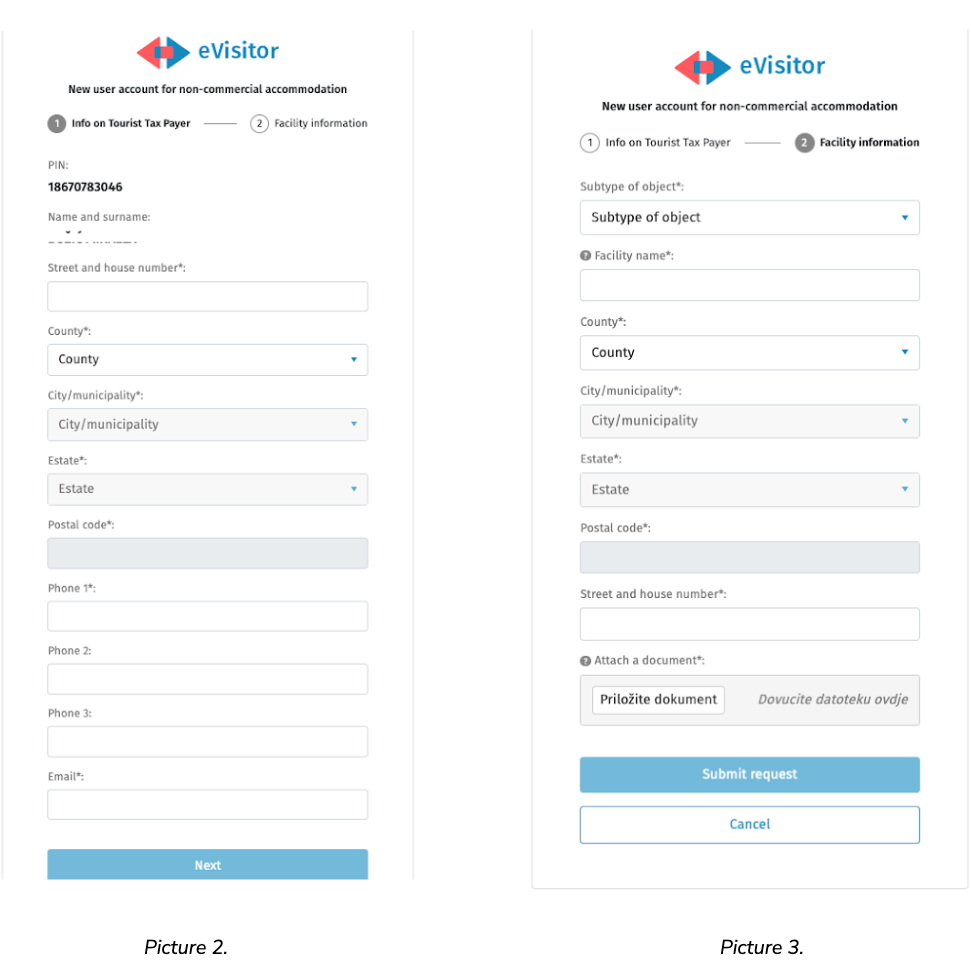
Pictures 2 and 3 show the procedure for creating a request to open a user account. For the request to be valid, it is necessary to truthfully fill in all the required information and finally submit the request.
Picture 4.
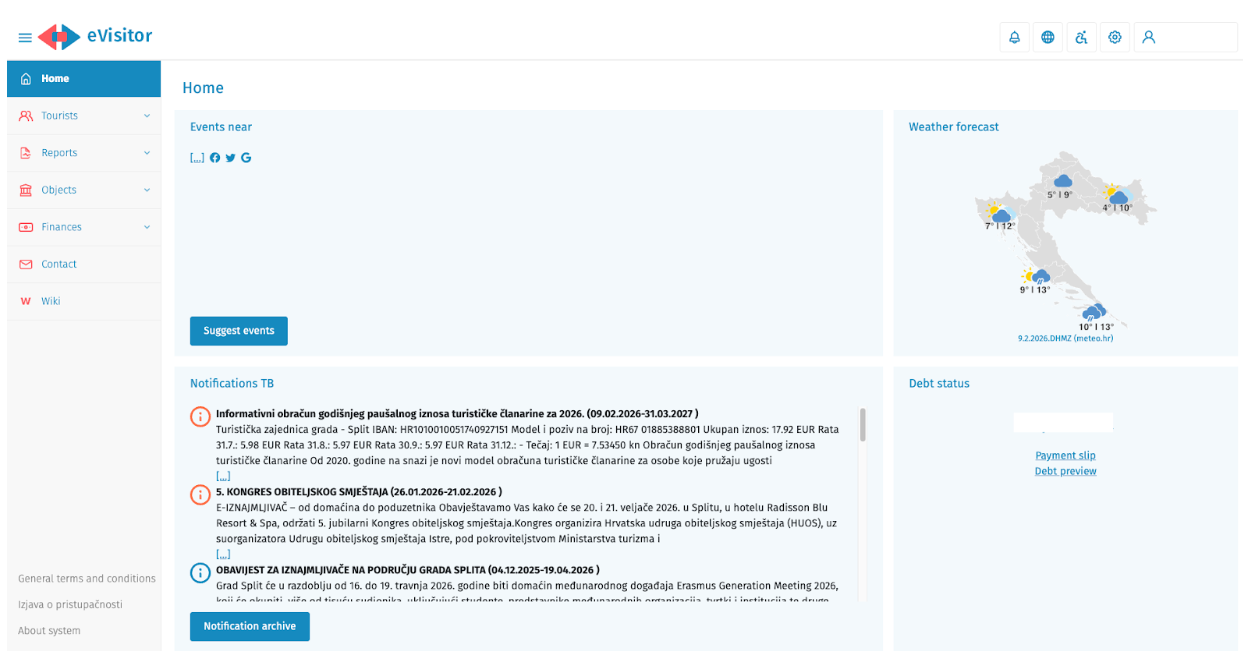
By logging into the system, the home page opens (Picture 4), at the top of which, in the upper right corner next to the landlord’s account icon, there are icons for subsequently performing the previously mentioned adjustments.
On the left side, a menu is displayed where, in addition to tourist check-in and check-out, the landlord has access to reports, registered properties, and financial obligations, which include personal liabilities.
Picture 5.
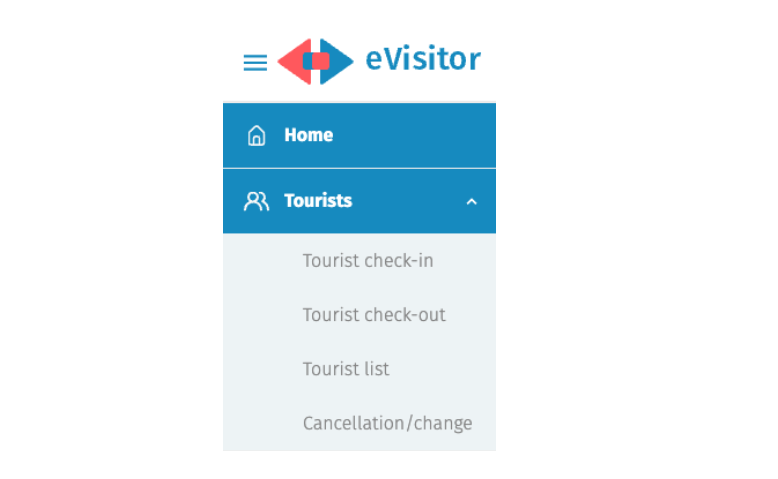
In the “Tourists” dropdown menu (Picture 5), in addition to tourist check-in and check-out actions, it is possible to view a list of all registered tourists for the requested dates and make any necessary modifications related to them.
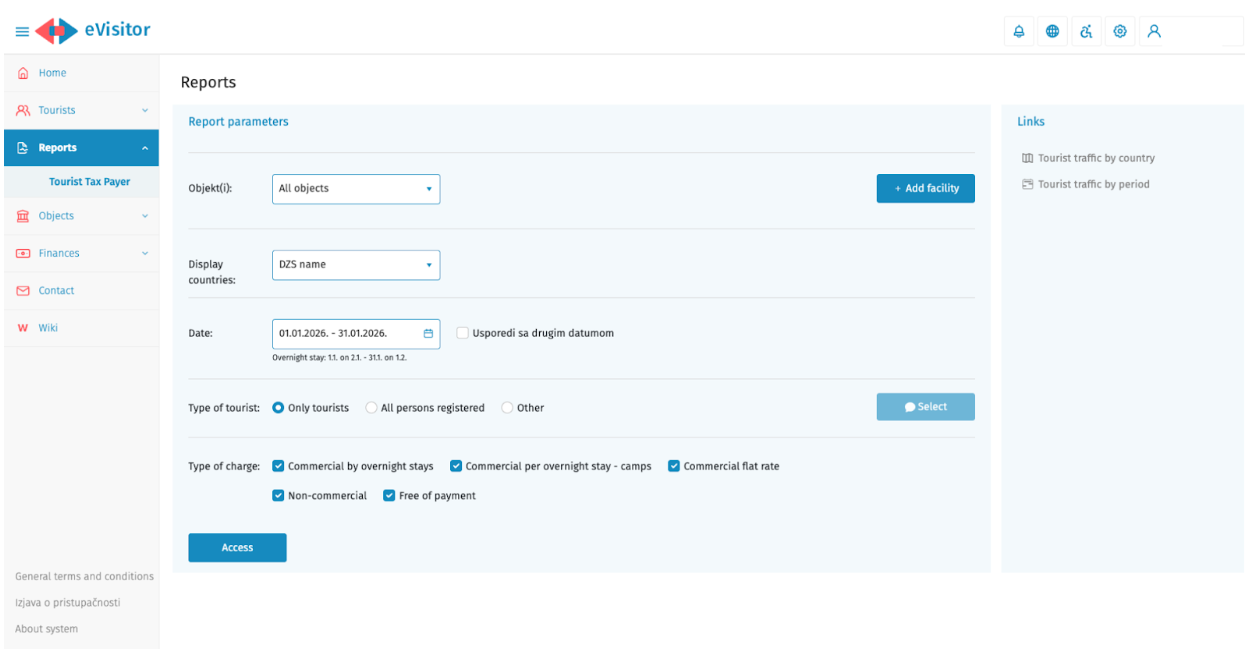
Picture 6.
The “Reports” menu is shown in Picture 6, through which the user can download a report of all registered persons in their property for a specified period.
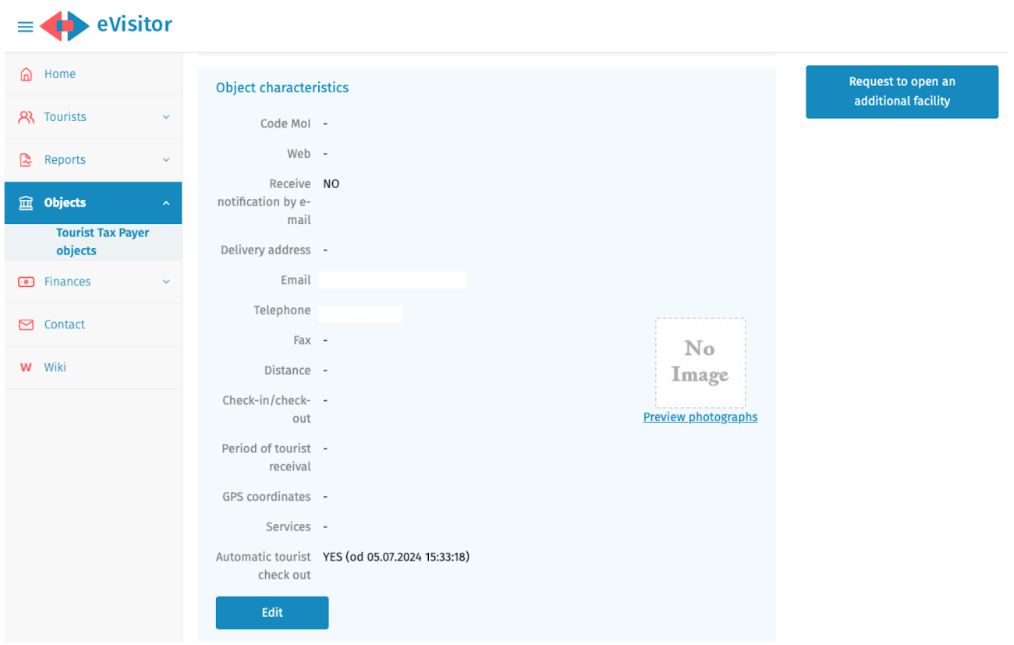
Picture 7.
The “Properties” menu displays all details of the user’s properties, divided into active and inactive, with the option to submit a request to open an additional property within this menu.
The previous figure,Picture 7, shows the property characteristics that the user can independently adjust, and this section also contains the settings for automatic check-out during tourist check-in.
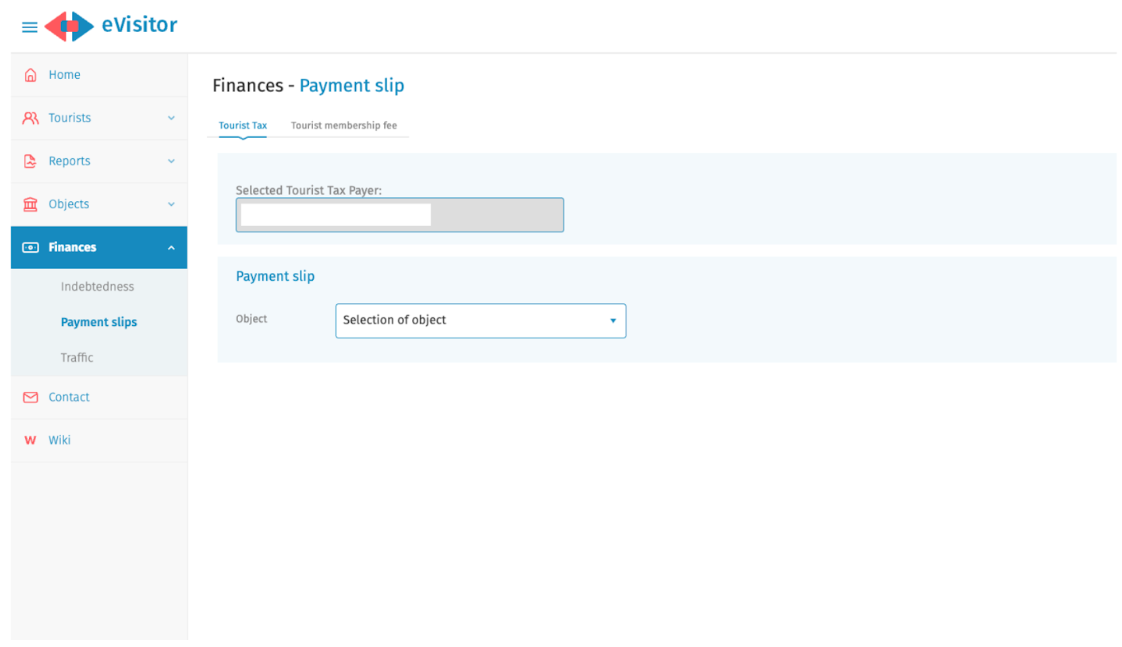
Picture 8.
One of the main changes introduced in the system is the display of the tourist membership fee, in addition to the tourist tax. The eVisitor system automatically calculates the user’s liability based on the information entered into the system. The amount owed is visible in the Finance section, under the “Payment Slips” menu, and can now be settled directly through the system—either by downloading a payment slip with pre-filled information or by scanning the QR code on it.
SOURCE: Croatian National Tourist Board